During focused writing and editing, moving your hands away from home row to reposition text cursors breaks concentration. NinoPad's Writing layout introduces 4-tier cursor jumps, instant word selection, and one-tap Markdown formatting.
1. 4-Tier Hierarchical Text Navigation
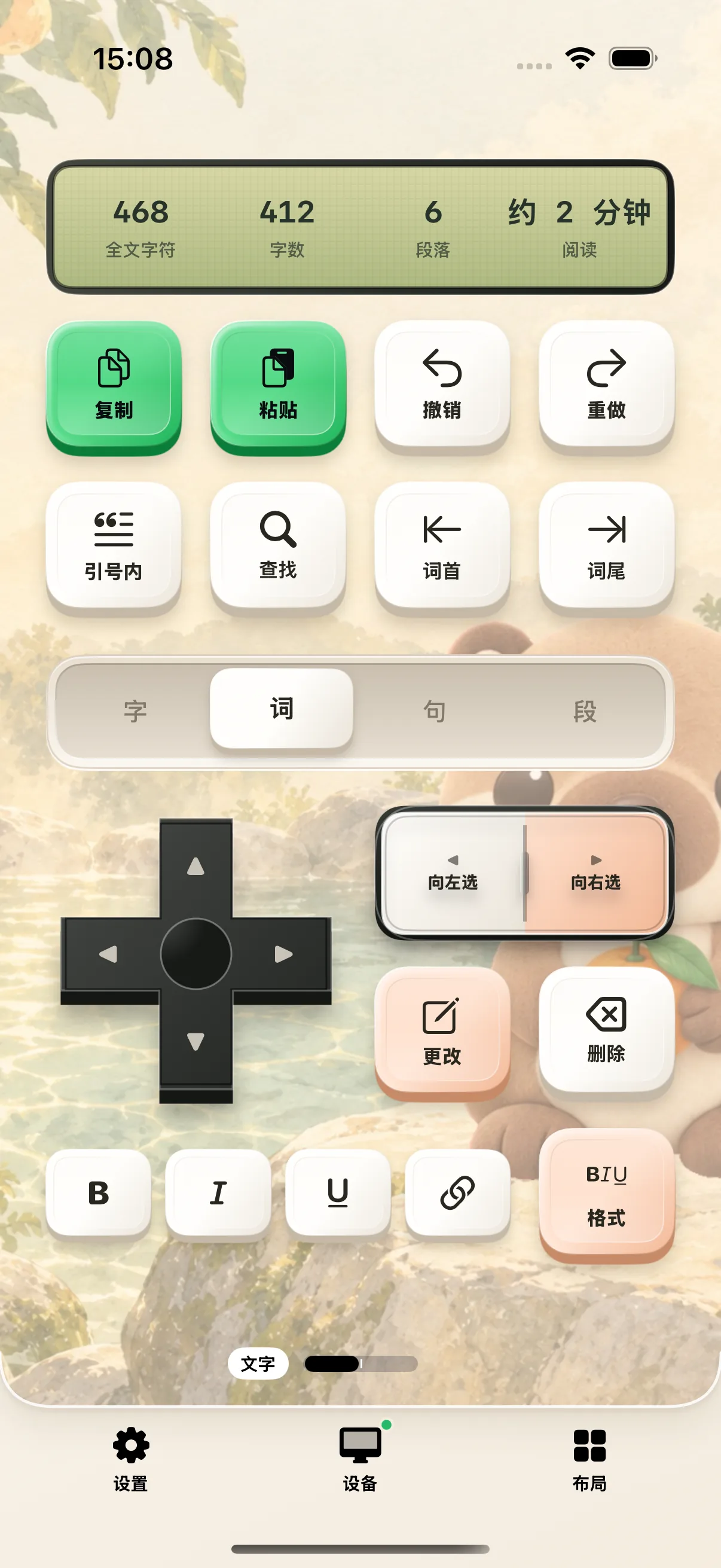
Switch between Character, Word, Line, and Paragraph tiers. Step forward and backward with precision without holding arrow keys.
2. Fast Text Selection & Formatting
Tap "Select Word", "Select Line", or "Select Paragraph", then tap Bold (⌘B), Italic (⌘I), or Code (`) to format text in a fraction of a second.
3. Markdown Heading Toggles (#, ##, ###)
Switch to the Format panel to convert plain lines into H1, H2, or H3 headings, add bullet checklists, or insert blockquotes with one touch.
4. Live Document Stats & Word Count HUD
Monitor document character counts, reading time, and cursor line numbers in the live stats HUD while maintaining your writing flow.
Frequently Asked Questions
Which Markdown and writing editors are supported?
NinoPad supports Obsidian, Ulysses, iA Writer, Bear, Typora, TextEdit, and web-based markdown editors.
How does 4-tier navigation work?
Toggle the unit selector between Character, Word, Line, and Paragraph. Pressing Left/Right steps your cursor by the selected tier; pressing Select expands selection by that increment.