Developers frequently need to check compilation logs, run dev servers, or monitor server metrics while away from their desks. NinoPad's Terminal layout provides mobile session management, dedicated modifier keys, and full terminal emulation.
1. Top Session Tab Bar
Create and name multiple shell sessions (e.g., Build, Dev Server, SSH). Switch between active tabs with persistent terminal output buffers.
2. Dedicated CLI Modifier Keys
Quickly access essential terminal control keys (Ctrl, Esc, Tab, |, ~, ^C, ^D, and arrow keys) that are cumbersome on standard mobile software keyboards.
3. Fullscreen Immersive Terminal View
Tap fullscreen to expand the terminal canvas for running vim, top, htop, or monitoring long build logs comfortably.
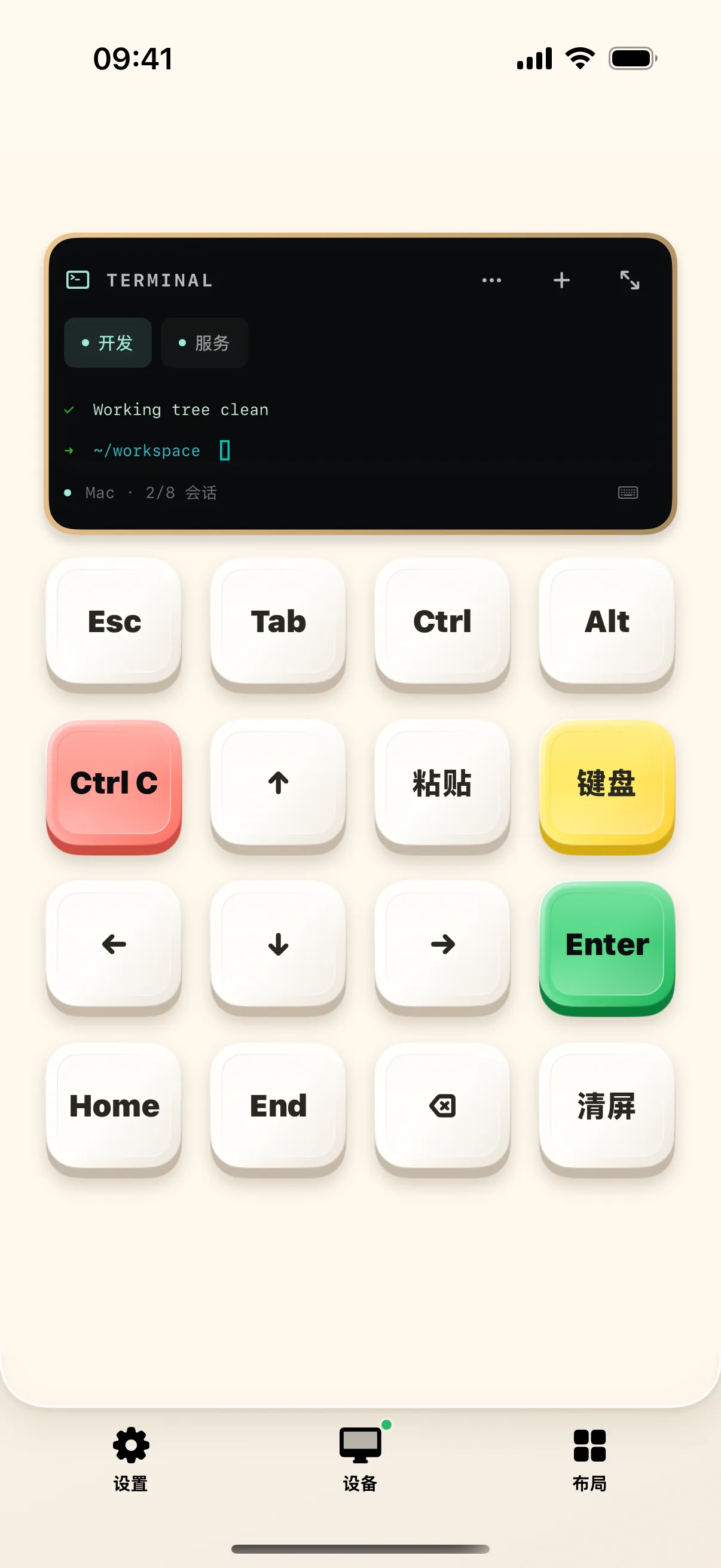
4. One-Tap Command Snippets
Bind frequent commands like git status, npm run dev, or docker-compose up to custom touch keys for instant execution.
Frequently Asked Questions
How do I send Ctrl+C or escape sequences from the mobile keyboard?
The Terminal layout includes dedicated physical-style modifier keys: Ctrl, Esc, Tab, Pipe (|), Tilde (~), and arrow keys for frictionless CLI navigation.
Will terminal sessions stay alive if the mobile screen locks?
Yes. Shell sessions run locally inside the Mac companion process; disconnecting or locking mobile does not terminate background build tasks.