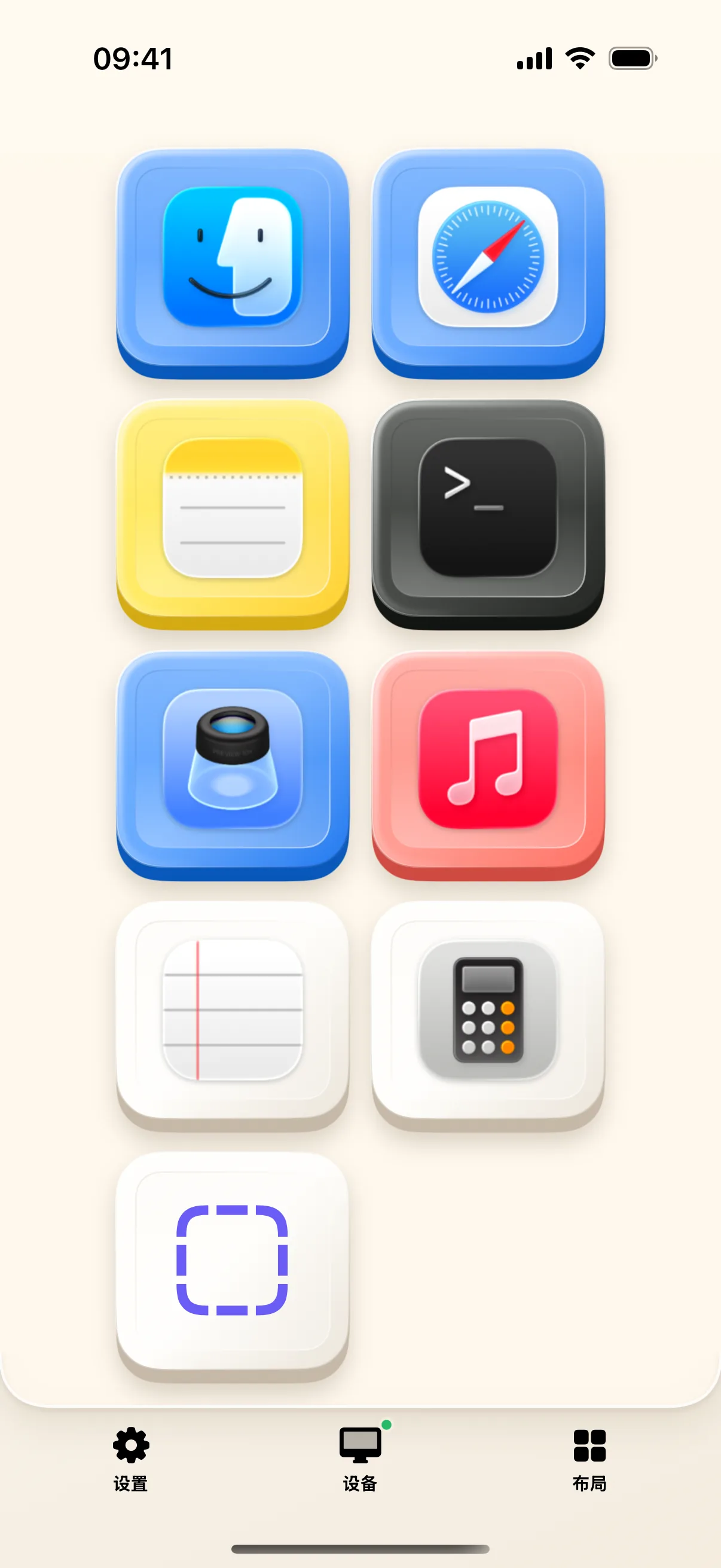
Cluttered Mac Docks and small menu bar icons make finding the right window frustrating. NinoPad's Launcher layout creates a dedicated physical touch dock on your desk with large, colorful app icons.
1. Automatic Mac Application Sync
NinoPad reads your Mac's /Applications directory automatically and presents your frequently used software with crisp icons.
2. One-Touch Window Focusing
Tap any app icon to launch or bring that application to the frontmost Mac window instantly, bypassing Dock hover delays.
3. Customize Your Personal Touch Dock
Rearrange apps into customized functional groups (e.g., Code Editors, Communication, Graphic Suites, Utilities).
4. Add Custom Shell Script Triggers
Beyond standard apps, bind terminal scripts, automator workflows, or Raycast shortcuts to launcher buttons for advanced automation.
Frequently Asked Questions
Why is an app icon showing a default placeholder?
NinoPad extracts high-resolution app icons from macOS. If an icon is missing, open the desktop editor and re-select the app from the synced list.
Can I group apps into custom folders or pages?
Yes. NinoPad supports multi-page launcher grids and categorized sections (Work, Dev, Media, Utility).