
MacBook keyboards lack dedicated numeric keypads, making heavy financial accounting and data entry tedious. NinoPad's Finance layout provides a full tactile numeric keypad, local scratch calculator, and visual formula helpers.
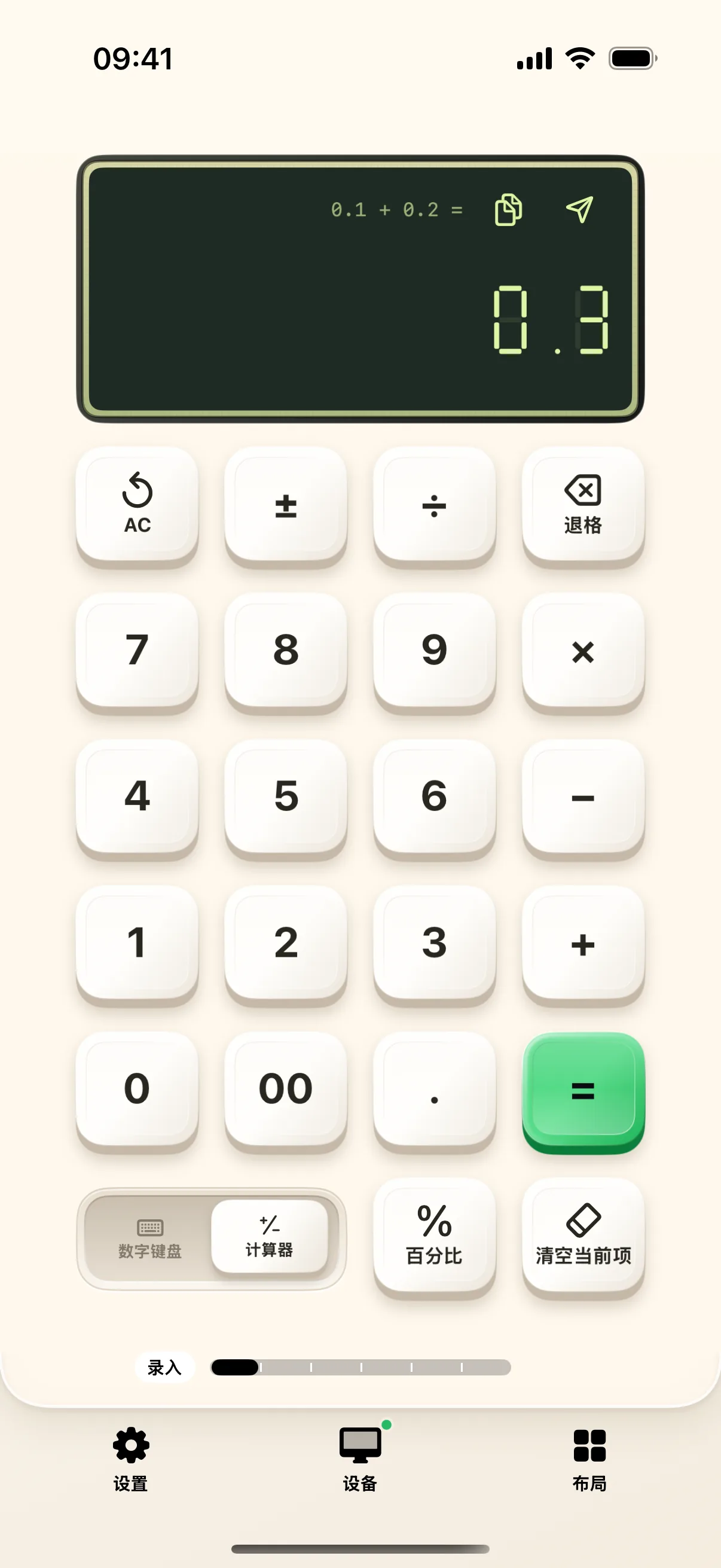
1. Dedicated Tactile Numeric Keypad
Enjoy large, comfortable number keys with standard arithmetic operators (+, -, *, /), parentheses, and decimal points for swift data entry.
2. On-Device Scratch Calculator
Calculate multi-line totals on your phone independently. The result stays visible on mobile without cluttering your desktop spreadsheet cells.
3. 64 Built-In Formula Assistants
Browse categorized formula templates for Financial, Statistical, Logical, and Text operations with interactive parameter wizards.
4. One-Tap Formula Injection
Configure complex expressions like SUMIFS, XLOOKUP, and NPV visually, then inject standard syntax straight into Excel or Numbers.
Frequently Asked Questions
Can I use the numeric keypad over Bluetooth or Wi-Fi?
NinoPad operates over local Wi-Fi with ultra-low latency, sending standard numpad scan codes recognized by Excel, Numbers, and Google Sheets.
How do I inject calculated totals directly into my Mac spreadsheet?
Perform your calculation on the phone, then tap 'Send Value' to inject the result directly into the selected Mac spreadsheet cell.