Unleash your musical creativity anywhere. NinoPad's Synthesizer layout turns your phone into a standalone polyphonic music workstation with smart diatonic chord pads, resonant filter knobs, and a 6-track pattern looper.
1. Play Harmonies with Smart Chord Pads
Tap the 8 diatonic chord pads (I, ii, iii, IV, V, vi, vii°, Oct) to trigger lush 4-voice polyphonic voicings with velocity dynamics.
2. Modulate Resonant Filters & Effects
Turn the rotary dials to sweep the Low-Pass Filter Cutoff, boost Resonance, and dial in warm Chorus or Space Reverb in real time.
3. Layer Drum Grooves with the Step Sequencer
Switch to the Drum panel, select kick, snare, and hi-hat sounds, and tap the 16-step grid to lay down infectious beats underneath your chord progression.
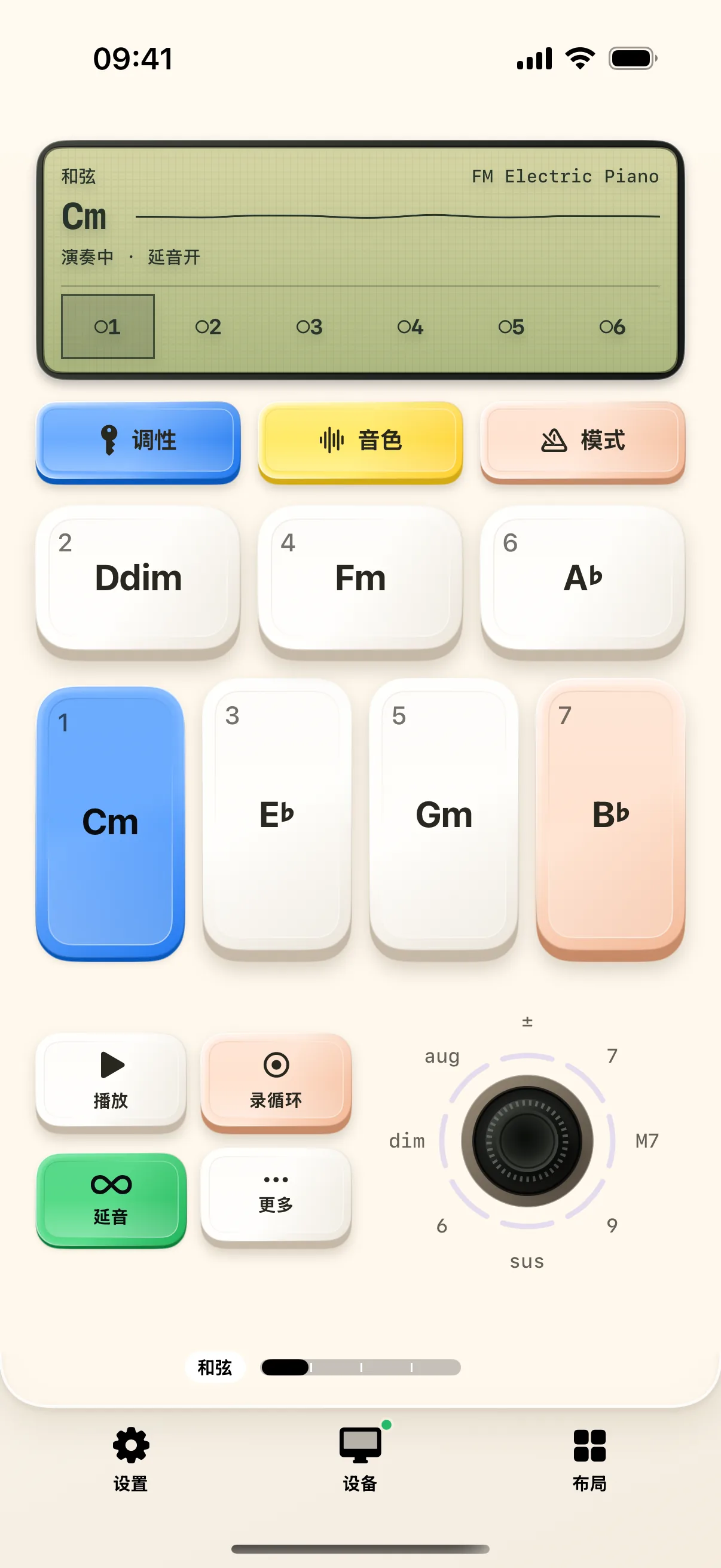
4. Record Multi-Track Looper Sessions
Hit the Record button to capture a 4-bar chord rhythm, overdub melody leads, and export the entire track as a lossless WAV or MIDI file.
Frequently Asked Questions
Can I use NinoPad's synthesizer without connecting to a Mac?
Yes! NinoPad has a built-in on-device DSP sound engine that produces rich stereo audio directly through your iPhone/iPad speakers or headphones.
How do I sync loop tempo (BPM) with external DAWs?
NinoPad supports Ableton Link and MIDI Clock synchronization over Wi-Fi for rock-solid tempo alignment with your Mac DAW.