
Reading dense academic papers, textbooks, and technical manuals on a computer is fatiguing. NinoPad's Reading layout transforms your phone into a dedicated reading remote with dual-direction page knobs, interactive chapter tables of contents, and instant page jumping.
1. Dual-Direction Page Knob & Smooth Scrolling
Turn the tactile rotary dial to flip pages smoothly or scroll long documents with hardware-like physical inertia.
2. Interactive Table of Contents & Chapter Filter
Browse the document's hierarchical outline on your phone. Filter chapters with keywords and tap to jump immediately on your Mac screen.
3. Exact Page Number Jumps
Enter any page number in the quick numpad dialog to bypass endless scrolling across large 800-page volumes.
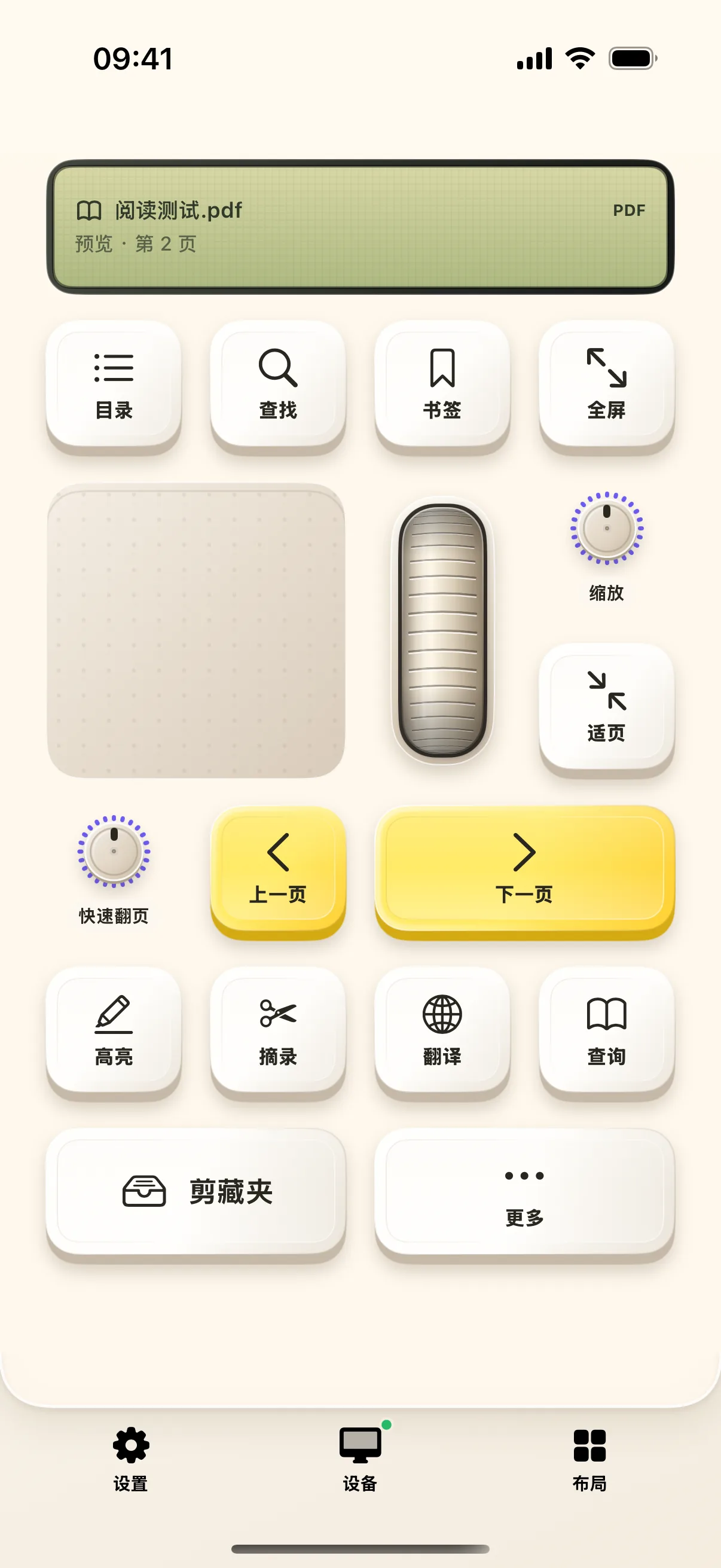
4. Full-Text Search & Keyword Navigation
Search key terms directly from your mobile deck and step through matching occurrences in your Mac reader.
Frequently Asked Questions
Which Mac PDF and ebook readers are supported?
NinoPad integrates with Apple Preview, Apple Books, Skim, Adobe Acrobat Reader, and PDF Expert.
How does page number jumping work?
Tap 'Jump to Page', enter the target page number (e.g., 142) on mobile, and NinoPad navigates your Mac document immediately.