
Imported spreadsheet data often contains inconsistent prefixes, rogue spaces, and messy capitalization. NinoPad's Finance layout includes visual text formula builders that craft robust SUBSTITUTE and TRIM expressions in seconds.
1. Strip Unwanted SKU Prefixes with SUBSTITUTE
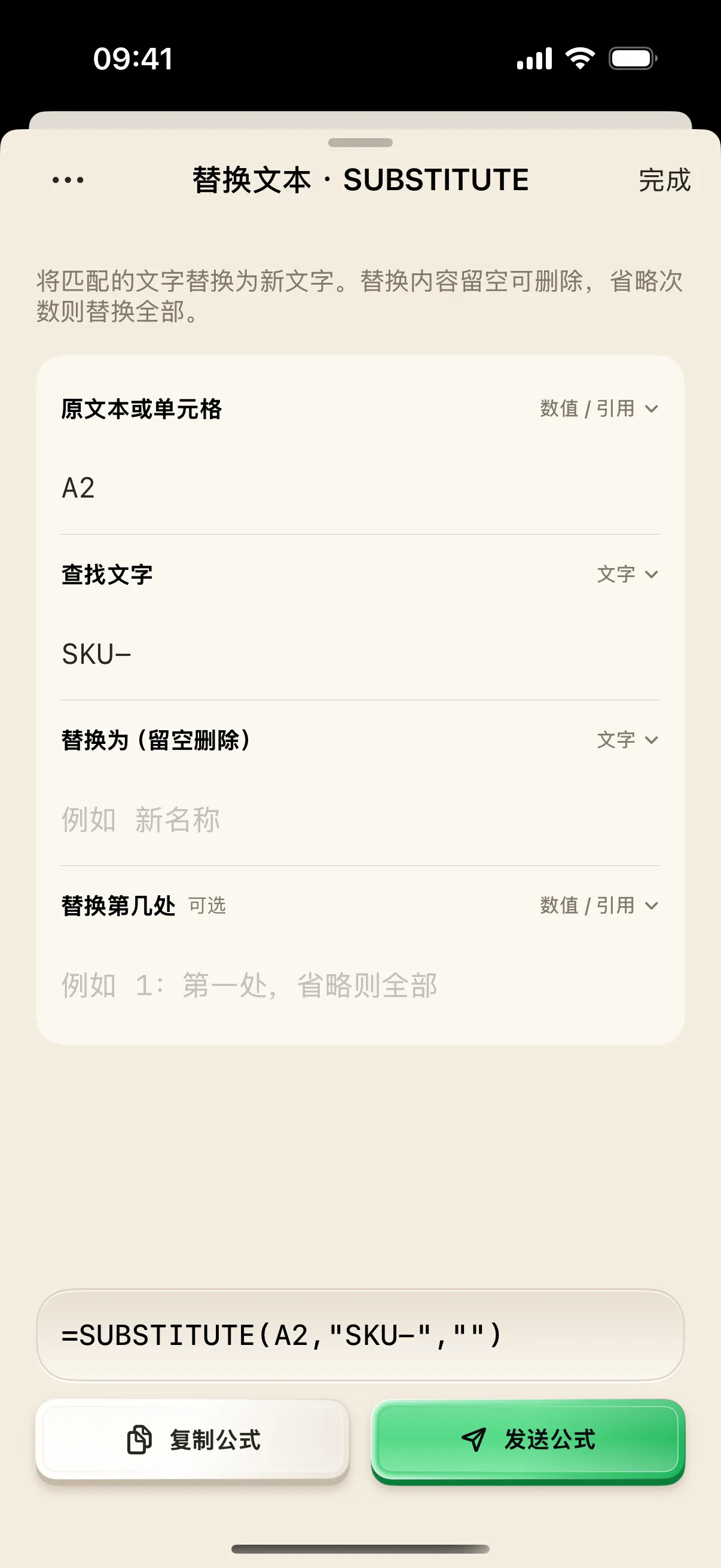
Select the text substitution tool in NinoPad, pick target cell A2, enter text to remove (e.g., "SKU-"), and leave the replacement string empty to cleanly excise the prefix.
2. Remove Rogue Spaces with TRIM
Wrap cell references with the TRIM function to automatically eliminate leading, trailing, and duplicate spaces from copied data.
3. Chain Functions with Real-Time Preview
NinoPad builds nested expressions like =TRIM(SUBSTITUTE(A2, "SKU-", "")) and verifies formula syntax live on screen.
4. Inject into Mac Spreadsheet in One Tap
Click your Mac spreadsheet's target formula cell, tap "Inject" on your phone, and double-click the fill handle to apply across thousands of rows instantly.
Frequently Asked Questions
What is the difference between global replace and instance-specific replace in SUBSTITUTE?
Leaving instance_num empty replaces all occurrences of the target string. Specifying instance_num = 1 replaces only the first occurrence, which is useful when removing leading SKU prefixes without altering body text.
How does TRIM handle non-breaking spaces commonly found in web exports?
NinoPad offers an optional nested CLEAN+TRIM formula helper that strips both ASCII spaces and non-breaking UTF-8 spaces (CHAR(160)).