
Memorizing complex spreadsheet formula parameters like SUMIFS, COUNTIFS, and XLOOKUP is error-prone. NinoPad's Finance layout includes an interactive visual formula wizard that builds error-free formulas on your phone.
1. Select Sum Range
Tap the "Sum Range" field and type your target column or range (e.g., C2:C100).
2. Add Multiple Filtering Criteria
Tap "Add Condition" to specify criteria ranges and matching rules (e.g., Criteria Range 1: A2:A100, Criteria 1: "Completed"; Criteria Range 2: B2:B100, Criteria 2: ">=2026-01-01").
3. Real-Time Formula Syntax Preview
NinoPad builds the exact formula string in real time: =SUMIFS(C2:C100, A2:A100, "Completed", B2:B100, ">=2026-01-01"), highlighting parameter brackets and quote matching.
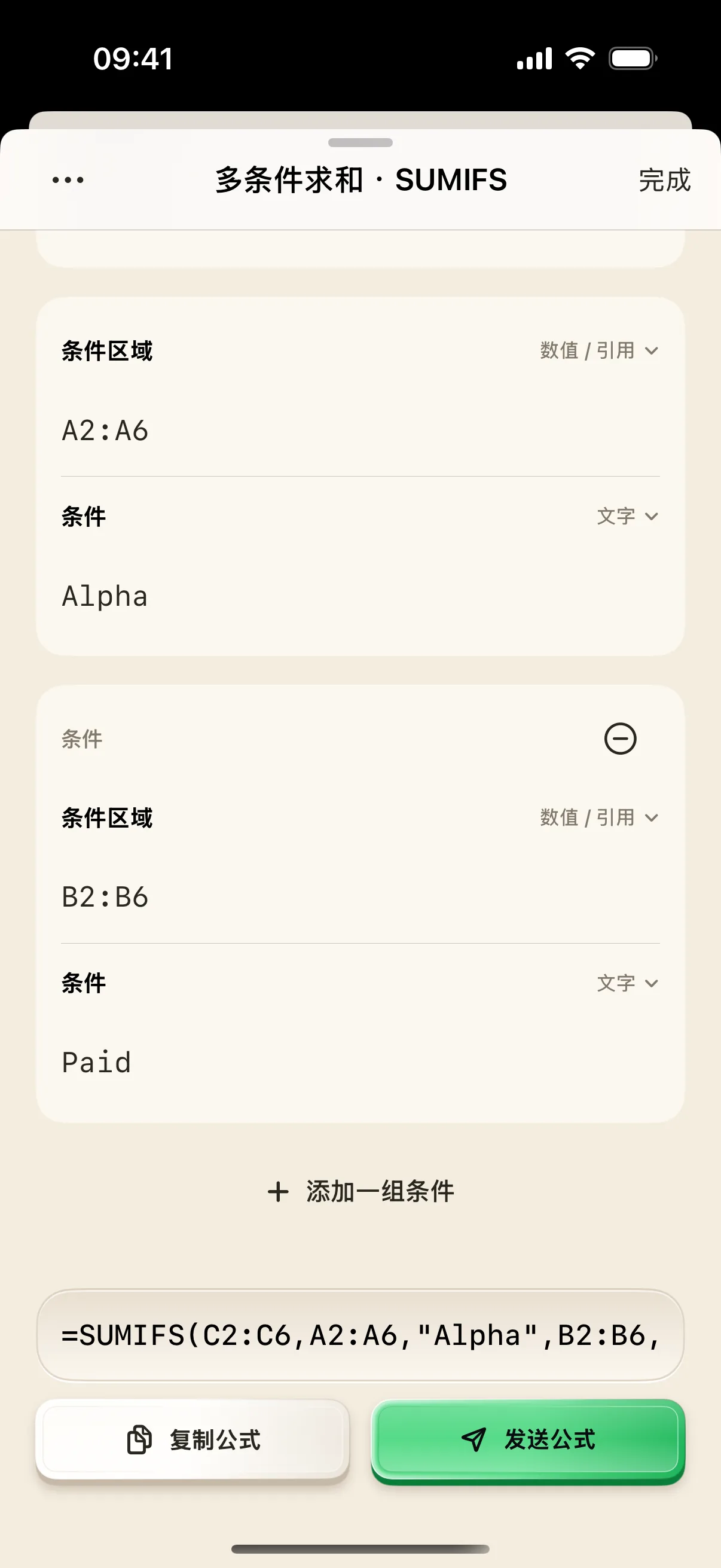
4. One-Tap Injection to Mac Spreadsheet
Click the active cell in Excel or Numbers on your Mac, then tap "Inject Formula" on your phone. The complete formula is inserted and evaluated instantly.
Frequently Asked Questions
Does this formula work in Microsoft Excel, Apple Numbers, and Google Sheets?
Yes. NinoPad generates standard ISO spreadsheet syntax (e.g., =SUMIFS(sum_range, criteria_range1, criteria1, ...)) fully compatible across all major spreadsheet suites.
How do I handle European comma vs. semicolon argument separators?
NinoPad automatically detects your system locale or allows you to toggle between comma (,) and semicolon (;) separators in Formula Preferences.